 A Cloud PBX Phone System
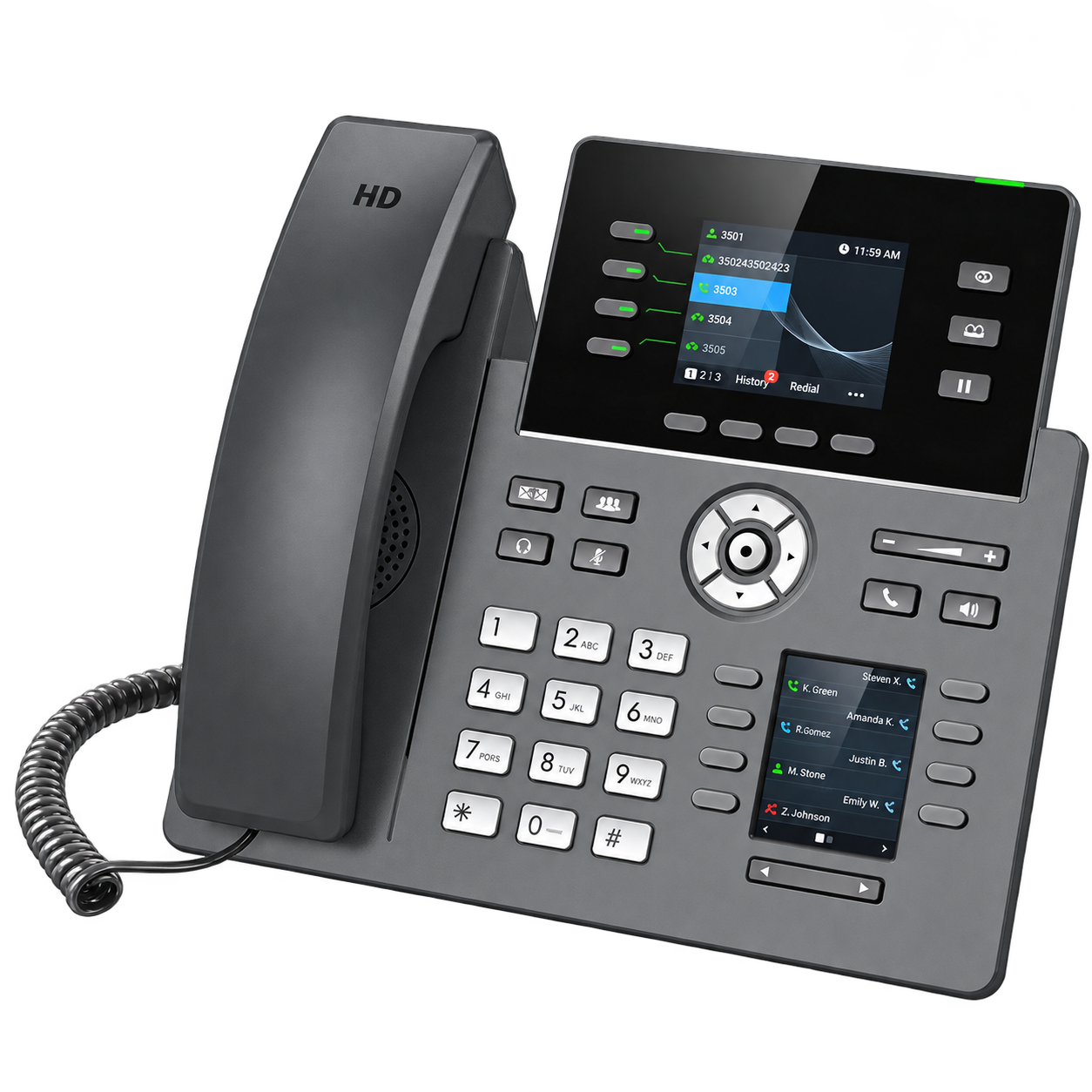
Shared Hold Key
Place a caller on shared hold so any authorized user can retrieve the call from another phone.
The upgrade path for Nortel users
Explore 20 Nortel Voice features that bring familiar call handling and cloud convenience together. Shared hold, easy call handoffs, and practical routing help your team feel at home with its next phone system.
Sales & Support · (877) 889-7679
Call flow and handling
Our team brings decades of Nortel phone-system experience to your upgrade. We understand why simple call handling matters, from answering a second call to telling a co-worker, “Your customer is on hold two.”
A phone’s hardware, firmware, software, and configuration all shape the way it works. We focus on straightforward operation, with greetings, menus, business hours, routing, and voicemail arranged around your organization.
Explore the Nortel Phone New upgrade options from Nortel Voice, then compare the features with your current phone system.
Compare your current system with Nortel Voice →“Your customer is
on hold two.”
Your Nortel Voice feature list
From familiar desk-phone functions to apps, meetings, and reporting, build a setup that fits the way your business works.
Features depend on your plan, compatible equipment, and configuration. Call recording and business app integrations are available as upgrades.
Place a caller on shared hold so any authorized user can retrieve the call from another phone.
Build simple, visual call flows that guide callers through greetings, menus, business hours, routing, voicemail, and after-hours options without complicated programming.
Distribute inbound calls to available agents with hold music, announcements, and queue position options.
Ring multiple extensions simultaneously or sequentially for sales, service, or reception coverage.
Forward calls to another extension, mobile number, voicemail, or external destination.
Transfer calls directly or announce them before completing the transfer.
Alert users to a second incoming call while they are already on a call, for a familiar line-system experience.
Display incoming caller number and available name information.
Assign direct inward dial numbers and select outbound caller ID numbers.
Deliver voicemail messages to a user’s inbox for access from email or mobile.
Play music or promotional messages while callers wait on hold or in queue.
Route calls differently during business hours, after hours, weekends, and holidays.
Temporarily send calls directly to voicemail or another destination.
Record inbound or outbound calls for training and quality review. Upgrade available.
Review call logs by date, extension, duration, and call outcome.
Give receptionists a visual console to monitor extensions and manage calls.
Host audio and video meetings with screen sharing, chat, and recording.
Make/receive business calls, chat, and join meetings from smartphones, PCs, and browsers.
Connect Cloud UCM with CRM, ERP, helpdesk, Office 365, Google Drive, and Teams workflows. Upgrade available; compatibility depends on the selected integration.
Provision and monitor supported devices through GDMS, use built-in SBC protection and encryption, and add users or storage as your organization grows.
Request an informational appointment to explore your Nortel Voice upgrade and get pricing for your office.
Questions before you upgrade
Discuss your current Nortel phones, call handling, and the features your team needs.
Call (877) 889-7679 →A shared hold button lets you hold a call so another authorized user can retrieve it from a different phone. Nortel Voice provides this familiar workflow through compatible phones and configuration. Call 877-889-7679 for details.
Call flow is the path a call takes through greetings, menus, ringing phones, transfers, and voicemail. Nortel Voice configures that path around how your office answers and hands off calls.
Eligible business phone numbers can be transferred to Nortel Voice after we confirm portability and account details. Keep your current service active until the transfer finishes; existing contract charges may apply. Call 877-889-7679 to plan your transfer.
Yes. Compatible hardware, firmware, software, and programmable buttons determine which features work on your phone. We help select equipment for your shared hold and call-handling needs.
Traditional Nortel digital desk phones are not directly compatible with this Cloud PBX service. We review your equipment and wiring, then recommend compatible replacement phones and any needed network changes.
Nortel Voice is a modern Cloud PBX replacement designed around the familiar call handling Nortel Networks users value. It is not newly manufactured Nortel Networks equipment. Call 877-889-7679 to discuss your options.
Clear call routing and easy handoffs help staff connect customers with the right person and reduce confusion. Your team can spend more time helping callers and less time managing calls.
Features depend on your plan, compatible phones, and configuration. Call recording and business app integrations are available as upgrades. Call 877-889-7679 to confirm the features and costs for your office.
Nortel Voice offers a Cloud PBX upgrade path for businesses replacing a Nortel phone system. It combines familiar shared hold and call handling with modern cloud features. Call 877-889-7679 to compare your current setup.
Yes. Nortel Voice offers compatible new desk phones as part of a modern Cloud PBX replacement for your Nortel system. These are replacement phones, not newly manufactured Nortel Networks phones. Call 877-889-7679 for equipment and pricing.
Nortel Voice · Sales & Support
Keep the call-handling simplicity your staff values and explore the flexibility of a Cloud PBX phone system.
(877) 889-7679Plan your upgrade and request pricing for your office.